
Where to Find Your Schengen Visa Number on the Sticker
The Schengen visa number is the unique serial number for your visa, printed directly on the sticker in your passport. It's the primary identifier used by authorities to verify your permission to travel within the 29 countries of the Schengen Area. Locating this number is the first step, but managing your travel compliance is the real challenge. The DaysAround iOS app can help by automatically and privately tracking your days in the zone, ensuring you never overstay.
Finding Your Schengen Visa Number on the Sticker
When you're dealing with border control, filling out forms, or booking flights, your Schengen visa number is the identifier you'll need. It's your official travel credential across the 29 countries in the Schengen zone. Let's pinpoint exactly where to find it and how to manage your stay.
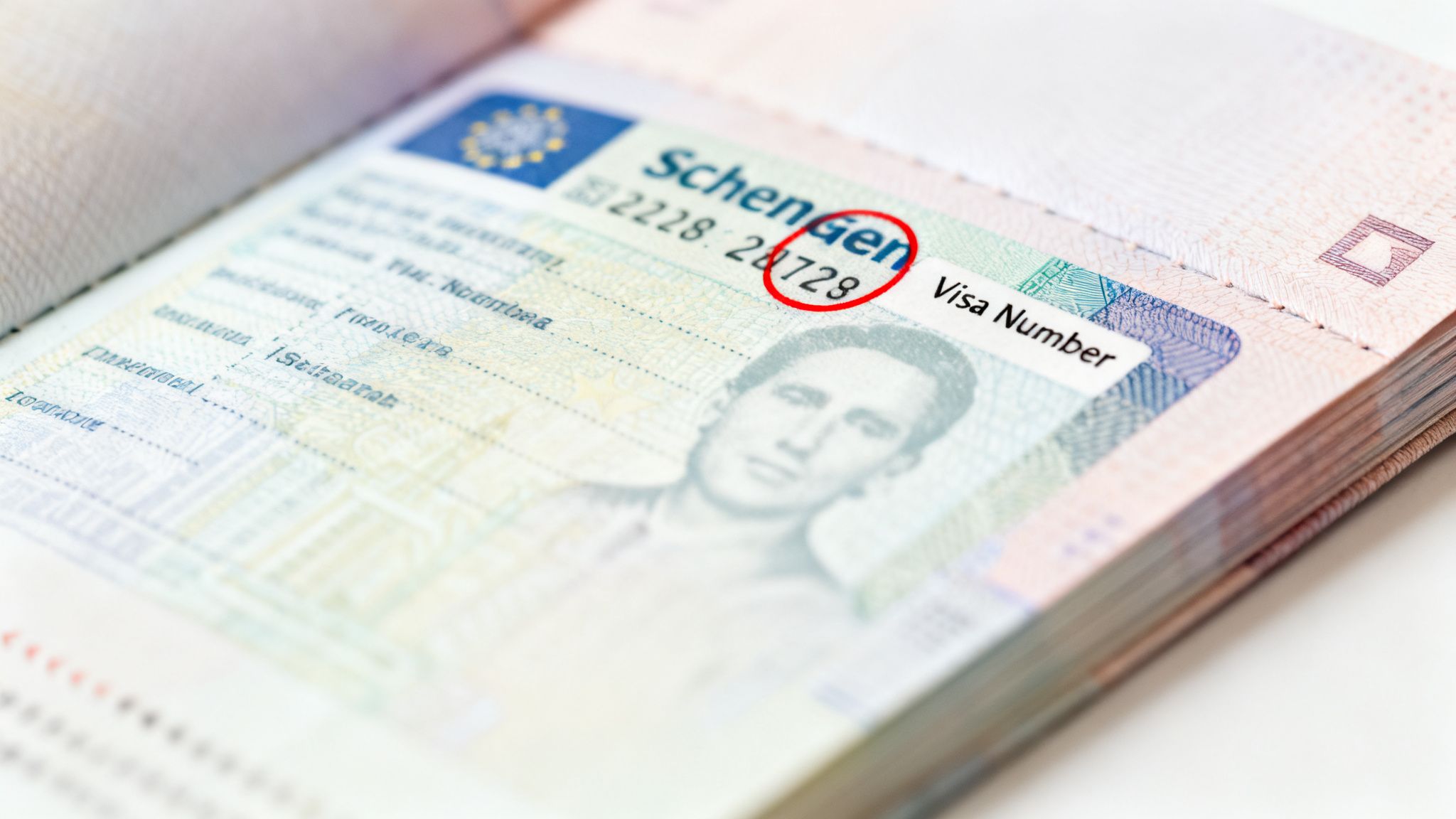
Key Location on the Visa Sticker
Examine the visa sticker in your passport. It contains a lot of information, but the number you are looking for is pre-printed in the top-right corner. This number is often printed in a different color ink, such as red or black, making it easy to spot once you know where to look.
What Your Visa Number Doesn't Do
Finding your visa number is straightforward, but the real challenge for travelers is complying with the strict 90/180 day rule that governs the length of your stay. Your visa number grants you entry, but it does not help you count your days. Manually calculating your stay is prone to errors that can lead to an accidental overstay.
This is where DaysAround can help.
- For quick checks: Our free Schengen Zone Calculator provides an immediate calculation of your remaining days.
- For automated tracking: The DaysAround iOS App automatically and privately builds a travel timeline using your phone's photo geotags. It calculates your stay for you, eliminating manual data entry and ensuring you always know your status.
How to Read Your Schengen Visa Sticker
Your visa sticker is the most critical document for any trip to Europe. While it may seem like a confusing collection of codes and dates at first, each field provides specific information about your travel permissions. It details the territory you can enter (typically "ETATS SCHENGEN"), the visa type (e.g., "C" for a short stay), and your entry allowance. For planning purposes, the validity dates are the most important.
Here is a look at a standard Schengen visa sticker with its key components labeled.
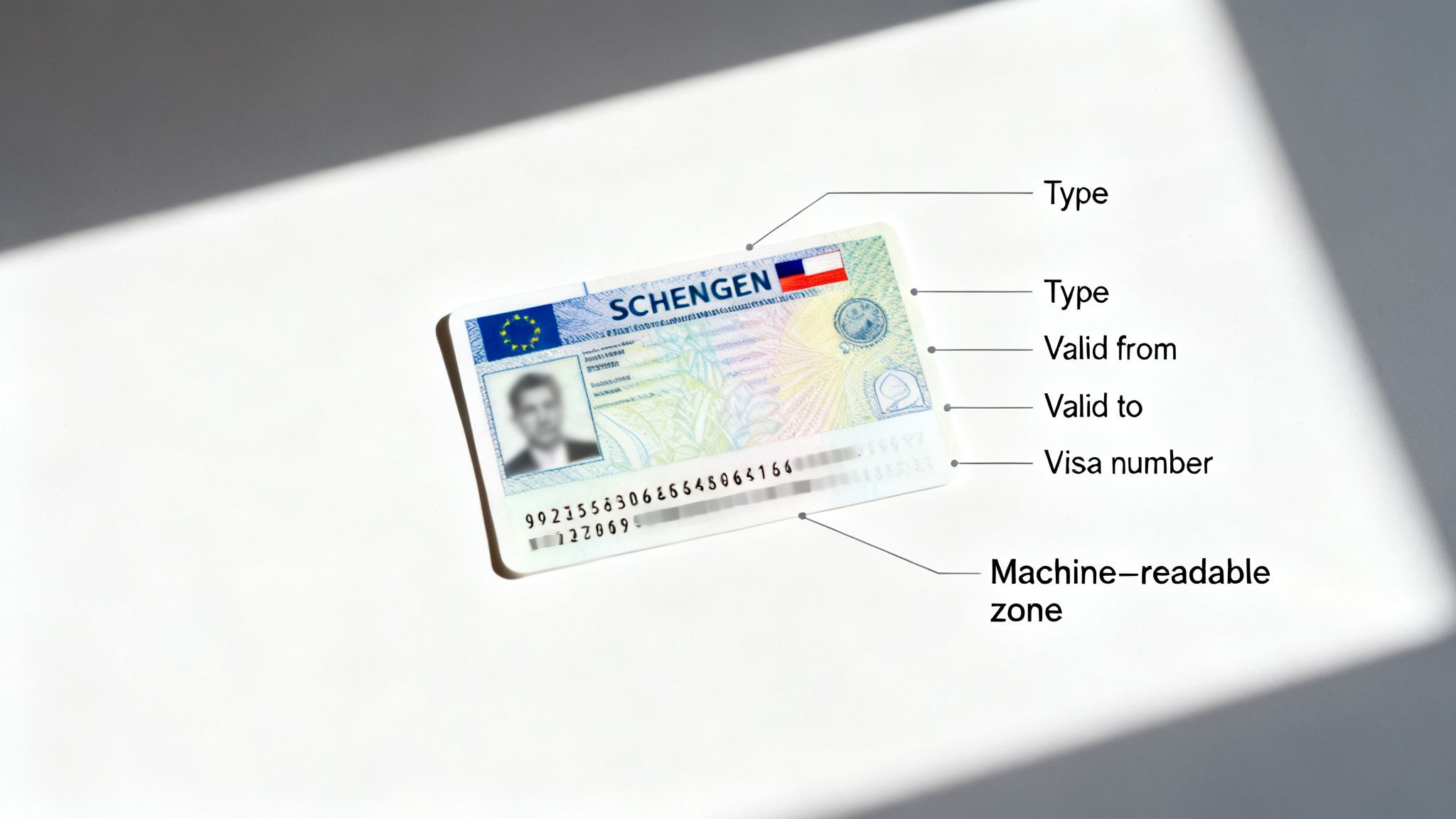
The number in the top-right corner is your Schengen visa number. The dates under "From... Until..." indicate the window during which your visa is active and you are permitted to travel.
Decoding Key Fields on Your Visa
Here is a breakdown of the most essential information on the sticker:
- Visa Number: The unique ID for your visa, located in the top-right corner.
- Valid for: Specifies the territory where you can travel. For most, it will state "ETATS SCHENGEN," covering all member countries.
- From... Until: This is your visa's validity period—the timeframe during which you can enter the Schengen Area. This is not the total number of days you are allowed to stay.
- Type of visa: Most tourists receive a type "C" visa, for tourism, family visits, or short business trips.
- Number of entries: This indicates how many times you can enter the zone: "1" (single), "2" (double), or "MULT" (multiple) for unlimited entries within your validity period.
- Duration of stay: The maximum number of days you can spend in the zone, typically 90 days.
Understanding these fields is only the first step. The real test is tracking your travel to comply with the infamous 90/180 day rule.
Your visa sticker outlines the rules, but it doesn't keep score. A small miscalculation can lead to an overstay, risking fines, deportation, or future travel bans.
This is why automated tracking is so beneficial. The DaysAround iOS App acts as your private travel log. It uses your phone's photos to build an on-device timeline, automatically counting your days in the Schengen Zone. This eliminates the need for manual spreadsheets and guesswork, giving you complete clarity on your compliance.
Common Mix-Ups When Finding Your Visa Number
It is common for travelers to be confused by the various numbers on their travel documents. Mistaking one number for another can cause significant issues when booking flights or crossing borders. The most frequent error is confusing the visa application number with the actual Schengen visa number. The application number is a temporary code used for tracking your application before it is approved. Once the visa sticker is in your passport, the number printed on it becomes your official identifier.
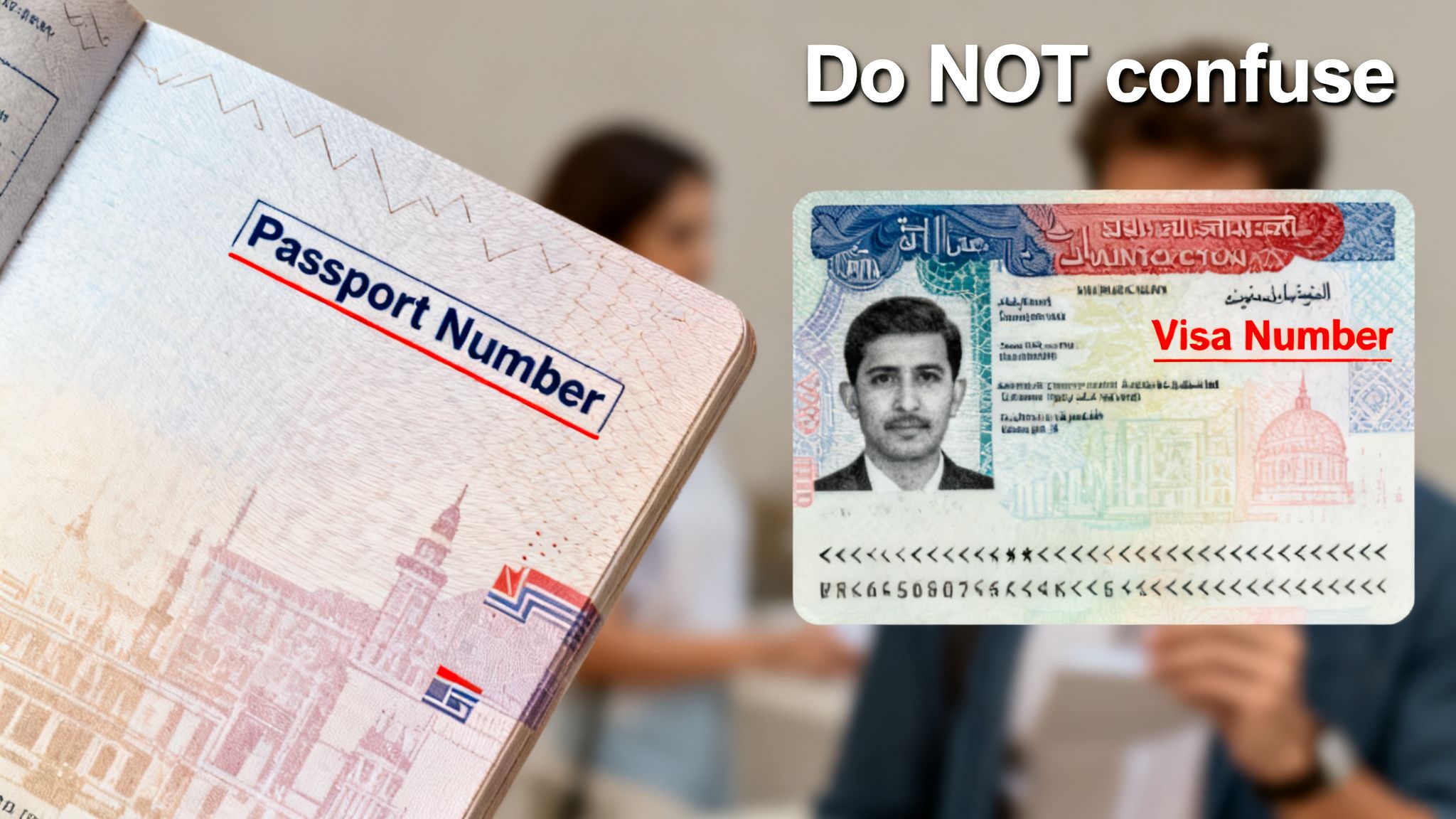
Keeping Your Travel Numbers Straight
Each number on your travel documents serves a specific purpose. Understanding the difference will prevent hassle.
| Number Type | Purpose & Location |
|---|---|
| Schengen Visa Number | The official ID for your travel permit. Found on the top-right of the visa sticker. |
| Passport Number | Your primary identifier, issued by your home country. Tied to you, not a specific trip. |
| Application Number | A temporary reference code used to track your visa application status. Obsolete after approval. |
| Machine-Readable Zone (MRZ) | The string of characters at the bottom of the visa sticker. Used by border control scanners. |
While confusing these numbers is a common mistake, a more significant error is miscalculating your stay. The validity dates on your visa only show the window in which you can travel, not the total 90 days you are allowed to stay within that period.
This is where technology provides peace of mind. An app like DaysAround for iOS removes the guesswork from the 90/180 rule. It automatically and privately logs your travel history directly on your device, ensuring you never overstay by accident and functioning as a reliable country counter.
When and How to Use Your Schengen Visa Number
Once you have located your Schengen visa number, you will find it is more than just a sequence of digits. It is your official key to the Schengen Area, linking your identity to your legal permission to be present. You will need it in several situations:
- Booking Travel: Airlines, bus, and train companies often require your visa number during booking to confirm your legal right to travel, especially for routes entering or exiting the Schengen zone.
- Completing Entry Forms: Some countries may still use landing cards or digital arrival forms where you must provide your visa details.
- Registering with Local Authorities: If you plan a longer stay in one location, you may need to register with local authorities, and your visa number will be a required piece of information.
Your Visa Number in a Digital World
As Europe implements more advanced digital entry systems, maintaining an impeccable travel record is more important than ever. Your Schengen visa number is your direct link to these official databases, making careful management of your travel history essential. With multiple-entry visas becoming standard for frequent visitors and digital nomads, proving compliance is critical.
An accurate, private log of your travels is the best way to avoid an accidental overstay. The DaysAround iOS App is designed for this, automatically building a secure countries visited map on your device. It allows you to export statistics for purposes like tax residency, all without using cloud storage or GPS tracking. For a detailed explanation of the rules, see our guide on the Schengen 90/180 rule.
Automate Your Schengen Stay Tracking with DaysAround
You have located your Schengen visa number—that's the first step. The next, more complex task is tracking your days to ensure you do not overstay. Manually counting your days against the rolling 90/180-day rule is tedious and prone to error. A single miscalculation can lead to serious consequences. This is precisely why the DaysAround for iOS app was created. It offers an automatic, privacy-first solution for managing your stay.
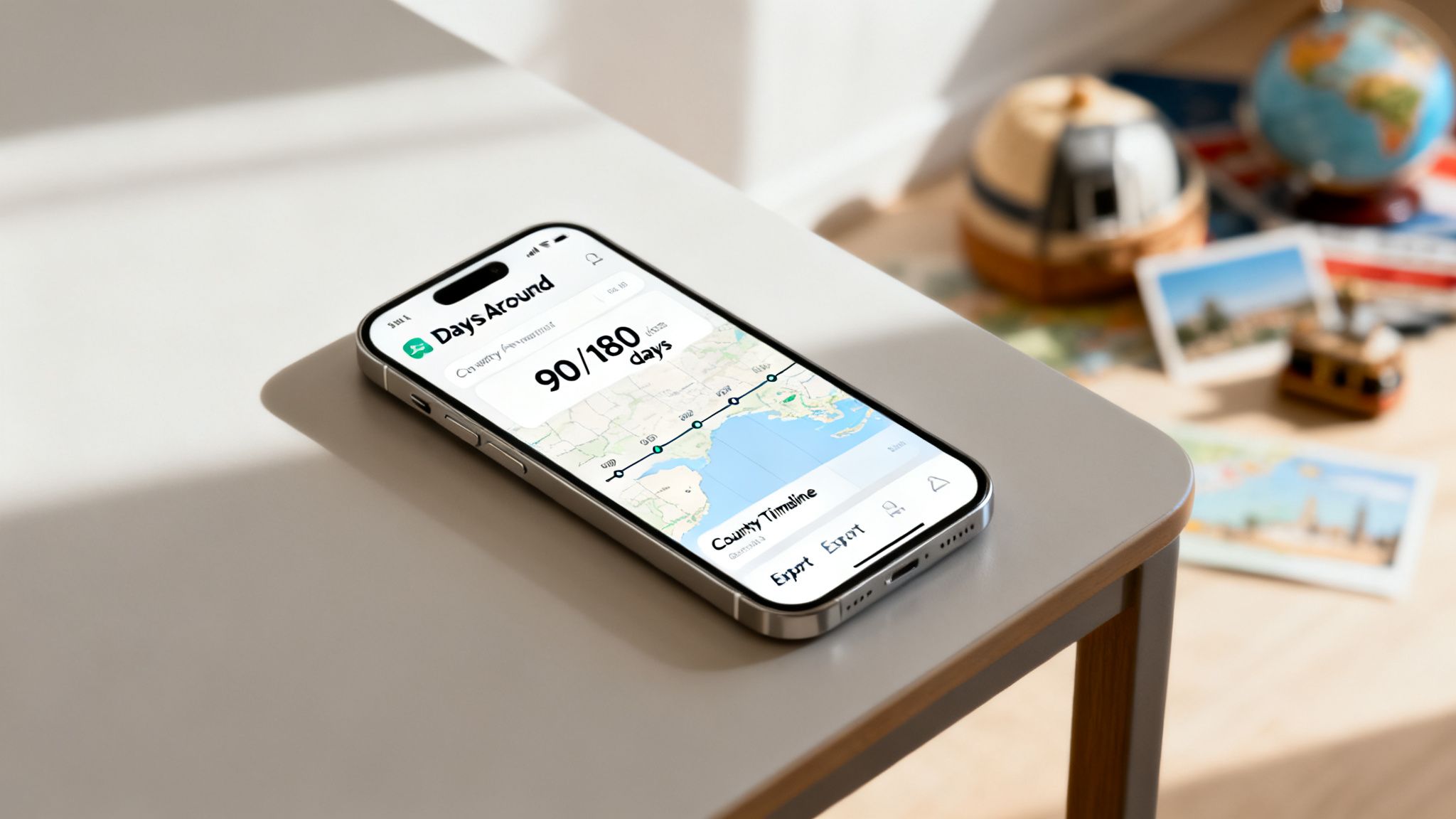
From Manual Counting to Automatic Peace of Mind
Instead of using GPS, DaysAround analyzes your phone's photo library to create a secure travel timeline directly on your device. This process happens entirely offline, meaning your location history remains private and is never uploaded to a cloud server. This transforms your phone into a powerful yet private travel history app. The app functions as your personal country counter, handling the complex 90/180 calculations so you can focus on your trip, not on calendars.
The penalties for overstaying are severe, including fines, deportation, and future visa bans. With Schengen visa rejection rates averaging 14.8%, maintaining a flawless travel record is more crucial than ever. You can find more details on these visa rejection statistics on hellosafe.com.
Tools Built for the Modern Traveler
DaysAround offers a suite of tools for smart travelers:
- For quick planning: Our free Schengen Zone Calculator is perfect for a quick check before you book a flight. Enter your travel dates for an instant status update.
- For comprehensive management: The DaysAround iOS app is a game-changer for frequent travelers. It is more than just a
Schengen 90/180 tracker; you can also use it as atax residency trackerby exporting your travel data or creating yourcountries visited map. It provides the confidence to manage your international lifestyle while keeping your data completely secure.
Frequently Asked Questions
Here are answers to some of the most common questions travelers have about their Schengen visa number and compliance.
Visa Numbers and Applications
1. Is the Schengen visa number the same as the visa application number? No, they are different. The application number is a temporary tracking code for your request. The Schengen visa number is the permanent, official ID printed on the visa sticker in your passport after approval. This is the number you will use for all travel-related purposes.
2. Does my visa number change when I get a new visa? Yes, every time. Each new Schengen visa is issued with a new, unique number. It is tied to that specific visa and its validity period, not to you as an individual.
3. How will the visa number work with the new digital Schengen visas? As the system transitions to digital visas, the visa number will remain your primary identifier. Instead of being printed on a sticker, it will be a key component of your digital visa record, serving the same purpose for authorities and airlines.
Troubleshooting and Practical Use
4. What should I do if I lose my passport with the visa sticker inside? First, report the loss to the local police and obtain an official report. Then, contact your home country's embassy or consulate to arrange for an emergency travel document. Having a clear photograph of your visa sticker showing the Schengen visa number can significantly speed up the verification and replacement process.
5. Can I check my remaining days in the Schengen Zone using my visa number? No, your visa number does not track your travel history or your remaining days. You are responsible for tracking your entry and exit dates to comply with the 90/180-day rule.
Manually counting days is complex. A dedicated tool simplifies it. For a quick calculation, the free DaysAround Schengen Calculator is ideal. For automated, worry-free tracking, the DaysAround app monitors your stay so you always know your compliance status.
Travel History and Compliance
6. Why is keeping a detailed travel history so important?
Your travel history is your proof of compliance with the 90/180-day rule. It is essential for avoiding penalties and is often reviewed during new visa applications. For digital nomads, it is also crucial for determining tax residency. An app like DaysAround automatically and privately builds this history on your phone, creating a reliable countries visited map without manual effort.
Ready to stop counting days on a calendar? With DaysAround, you can automatically build a private, on-device travel timeline and manage your 90/180-day limit with total confidence. Download the DaysAround iOS App today and travel smarter.
Sources
- AILA - American Immigration Lawyers Association Blog: Provides expert insights into complex immigration laws and policies.
- GOV.UK - Electronic Travel Authorisation (ETA) Factsheet: Official UK government guidance on digital travel permissions, reflecting wider trends in border management.
- Schengen Visa Info: A comprehensive resource for news and regulations related to the Schengen Area.